New release: Otii software 3.6
New release: Otii software 3.6
Otii software 3.6 introduces key updates designed to optimize the workflow for engineers developing low-power embedded and IoT electronics. This major release incorporates highly requested features that enhance data analysis, improve user experience, and further streamline automated testing and licensing. Here are a few highlights.
New Otii software features
Multiple selections
The introduction of multiple selections significantly improves the effectiveness of data analysis. As the name suggests, you can now select one or multiple time segments across one or more recordings. Each selection can be saved with a name and renamed as needed, and you can also add comments to make documenting your testing easier.
Additionally, the selections can be compared using a fully customizable statistics view for side-by-side analysis of metrics such as current, energy, and charge.
Minibar
The updated interface includes a compact minibar that minimizes the complete CONTROL sidebar when collapsed. This feature enables quick access to power supply status, ongoing and saved recordings, and channel measurements, while maximizing space for data visualization.
New statistic view
A new statistics panel, located on the right side of the graph, is fully collapsible and provides more real-time data for better visualization and analysis of projects. It offers options to view statistics for:
- All the data in the project (default mode).
- All your selections, in addition to the statistics for the entire project, and the visible view for the active recording.
- Statistics for all your recordings for the active selection.

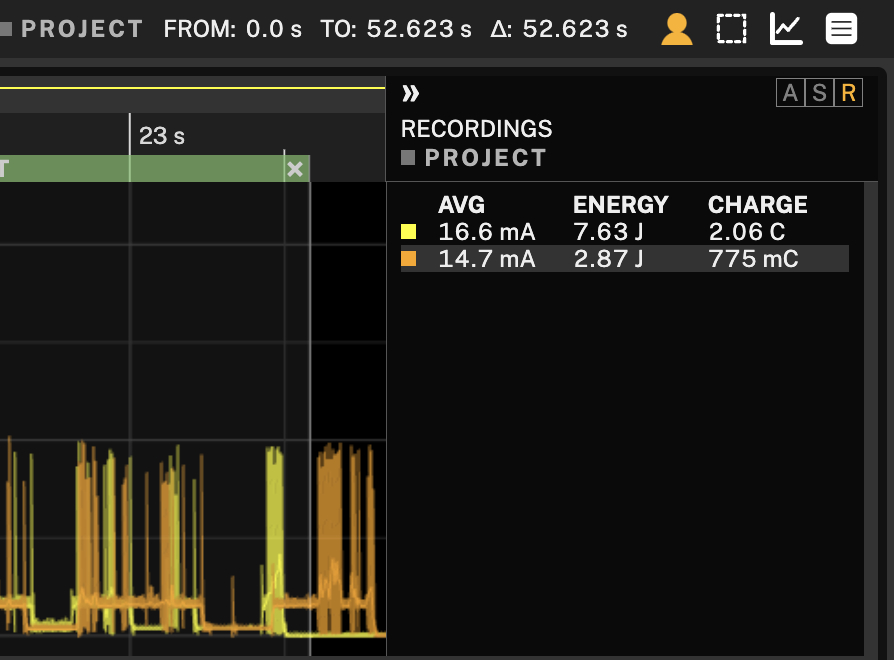
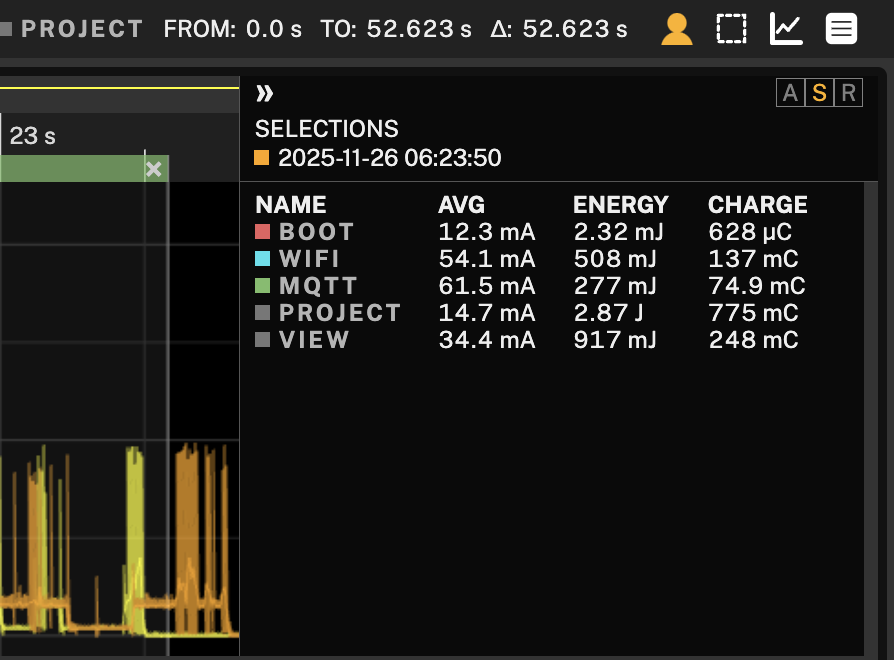
Additionally, the metrics displayed in the statistics can now be customized to your preferred unit of measurement. It now also includes charge data on current channels. The options for viewing energy are Watt-hours (Wh) or Joules (J), and for charge, Ampere-hours (Ah) or Coulombs (C).
Recording info
Each recording can now be expanded to display key information, including the recording name, the date and time when it was logged, the list of channels measured in that recording, and the sample rate with which it was recorded.

Multiple offline Toolboxes licenses
Now, both Automation Toolbox and Battery Toolbox licenses can be moved offline on a single Otii instrument. This is especially useful in shared lab environments or remote setups, where different users may need access to varying toolboxes without requiring constant license reservations or internet access.
Import external logs
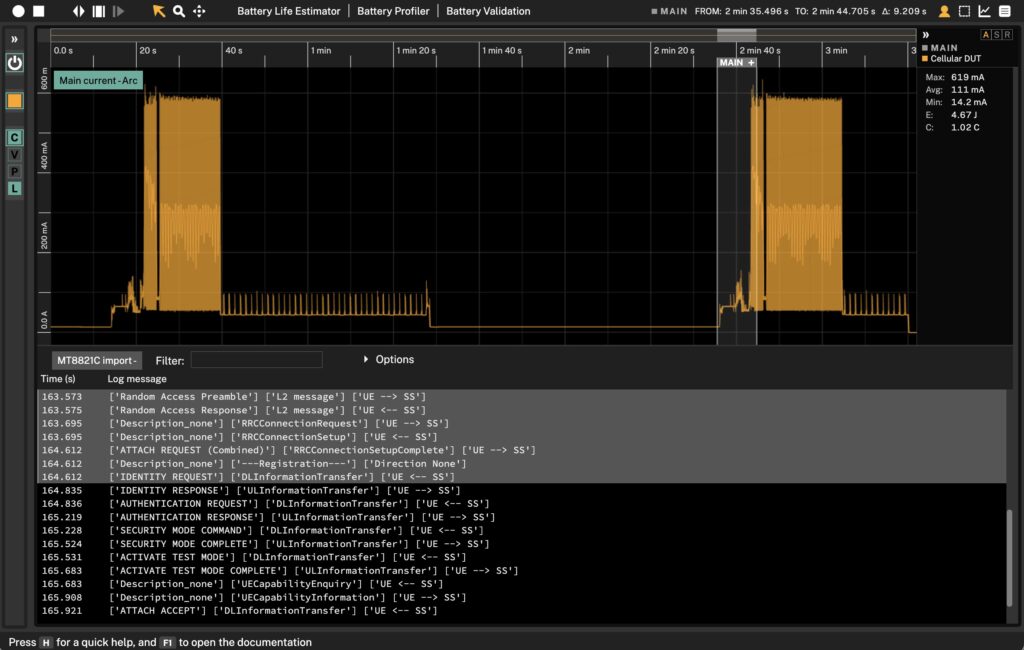
The new release includes an API enabling the import of time-stamped logs and synchronization with power measurements. Examples of logs include Wireshark logs, logs from your radio communication analyzer, or other network logs you want to analyze or debug to understand how they affect your device’s power consumption. Note that you require an Otii Automation Toolbox license to utilize the APIs.
Context-aware help
In the bottom left corner, you will find the improved help system, which offers guidance when you hover the mouse over an element in Otii.
Get started with Otii 3.6
If you’re already using Otii, you’ll be prompted to update directly within the Otii Desktop App. If you are not currently using it, you can download the latest version manually from the Otii Download page, where installers for Windows, macOS, and Linux are available.
If you need extra help getting started, check out Otii documentation.